
AI data extraction from PDFs, emails, and documents: when it is reliable
AI can be very good at turning messy documents into structured data. Invoices, supplier sheets, property descriptions, contracts, support emails and scanned forms often contain information that would otherwise have to be copied into another system by hand. The mistake is treating that as:
Give the document to an AI model and trust whatever JSON comes back.
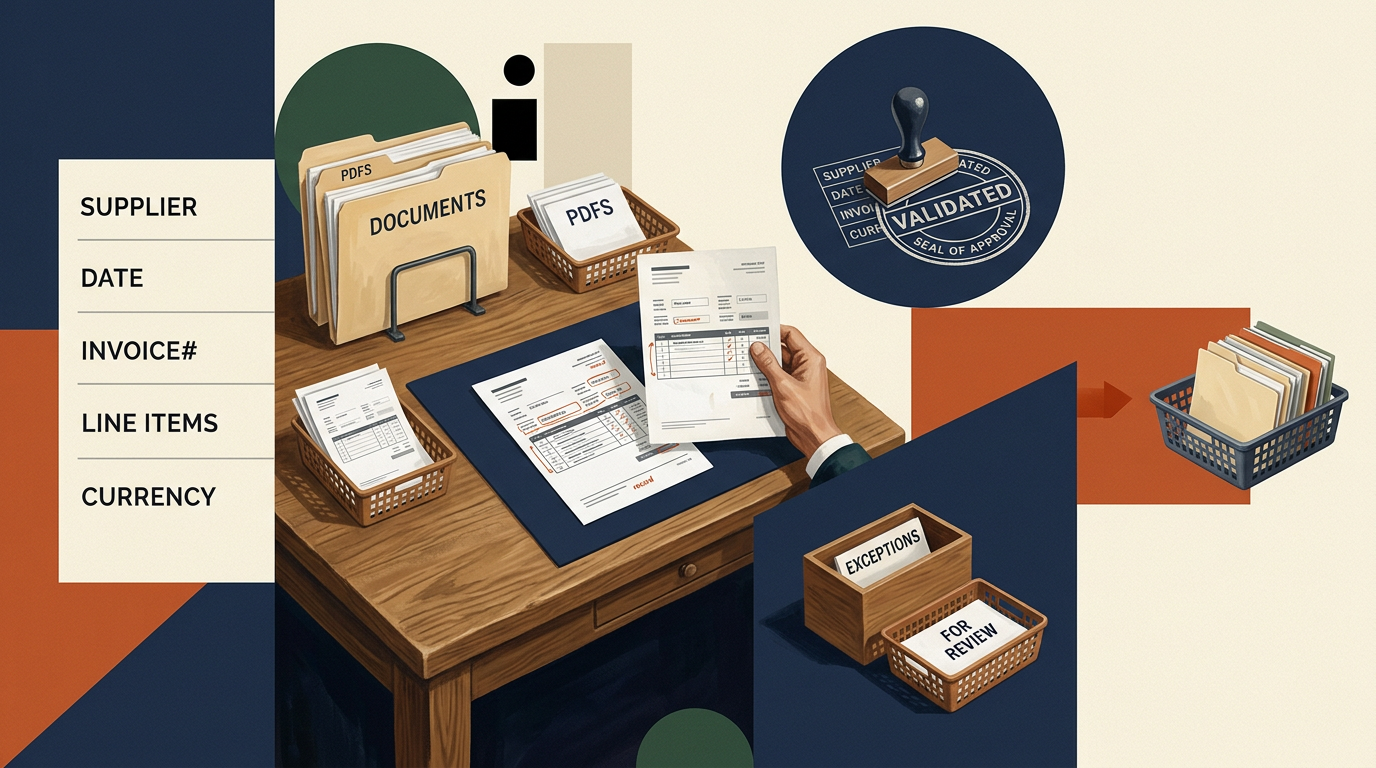
Reliable extraction needs a little more structure than that. The model should know exactly which fields it is looking for, the output should be validated, and uncertain records should have somewhere sensible to go. That is what turns a convincing demo into a workflow you can actually operate.
Start with the record you want to create
Before choosing a model, define the output. For an invoice, that might include:
- supplier;
- invoice number;
- issue date;
- due date;
- currency;
- net amount;
- tax;
- total;
- purchase-order number.
For a property listing, it might be:
- address;
- district;
- bedrooms;
- floor area;
- rent;
- furnishing;
- availability date.
The exact fields matter because extraction becomes much easier to test once the expected record is clear. For each field, I would define:
- whether it is required;
- the expected format;
- allowed values where relevant;
- whether it should be copied exactly or interpreted;
- what happens if it is missing or ambiguous.
A system that knows it is looking for currency = EUR | USD | GBP is much easier to validate than one that is simply asked to “understand the document”.
Extract first, interpret second
Where possible, I prefer to separate extraction from interpretation. If a document says:
Total: 1,249.50
the first job is to capture 1,249.50.
Whether that amount includes VAT, which currency applies, or whether it represents the amount due may require additional context. Combining all of those decisions into one free-form model response makes errors harder to detect. It is usually better to preserve the source value and then apply additional rules or interpretation afterwards.
For important fields, I also like to retain enough provenance to explain where the value came from. That might include:
- the original document;
- page number;
- relevant source text;
- bounding area or table row where available.
If someone needs to review the result later, they should not have to search the entire document again.
Different documents need different treatment
A machine-generated PDF is very different from a photograph of a crumpled invoice. So is a consistent supplier template compared with a forwarded email containing several attachments and a sentence saying:
Please use the updated price from my previous message.
Before extraction, it can be useful to classify the input. For example:
Structured and predictable
CSV, XML, spreadsheet, known API response.
Readable and consistent
Digitally generated PDF or recurring supplier document.
Readable but variable
Emails, contracts, free-form reports, unfamiliar layouts.
Poor-quality input
Scans, photographs, missing pages, handwriting, damaged files.
That classification can determine which processing path the document takes. A poor scan may go straight to review. A known supplier CSV may not need AI at all. An exception queue is not evidence that the automation failed. It is often what makes the automation safe enough to use.
Use normal parsing where normal parsing works
Not every document problem needs an LLM. If the input is a known CSV export with fixed columns, parse the columns. If a form already produces structured JSON, use the JSON. If a barcode contains the identifier you need, read the barcode. If a supplier sends the same XML structure every day, build against the schema.
AI becomes really helpful when the information is present but the structure varies. Examples include:
- different invoice layouts;
- free-text emails;
- product descriptions from multiple suppliers;
- contracts with inconsistent wording;
- property listings written in natural language;
- documents where the same concept appears under different labels.
A dependable workflow will often use both approaches. Normal code handles the predictable parts. AI handles the parts that genuinely require interpretation.
Validation is where reliability comes from
The extraction result should not automatically become trusted business data. It should pass through normal validation first. That can include:
- required fields are present;
- dates are valid;
- numbers use the expected format;
- identifiers are not duplicated;
- values fall within acceptable ranges;
- totals reconcile;
- related fields make sense together.
If an invoice has an issue date of 20 September and a due date of 5 September, something needs attention. If line items total €980 but the extracted invoice total is €1,430, the record should not quietly proceed. If a product feed says the weight is 85,000 kg, that may be technically valid numeric data but still obviously wrong for the product involved.
This is where conventional business rules are extremely useful. The model extracts. The system checks.
Confidence should change what happens next
Not every field deserves the same treatment. A supplier name extracted from a clear heading may be very reliable. A contract-renewal date hidden inside ambiguous wording may not be.
For important workflows, I would design different outcomes depending on confidence and validation. For example:
High confidence + passes validation
Accept automatically.
Uncertain but plausible
Send to review.
Fails validation
Reject or request correction.
Critical field missing
Stop the workflow.
You do not need the model itself to provide a perfectly calibrated percentage for this. Confidence can come from several signals: whether the source was readable, whether required evidence was found, whether business rules passed, whether multiple extraction methods agree, and whether the value exists in a known reference dataset.
The important part is that uncertain output does not silently become operational data.
Keep dangerous actions downstream from verification
There is a big difference between:
extract invoice information into a review screen
and:
automatically pay the invoice.
Likewise:
classify an incoming support request
is different from:
close the customer’s account based on the classification.
The higher the consequence of a wrong result, the stronger the verification step should be. For many business workflows, AI extraction is extremely useful precisely because it can remove most of the copying and leave a person with a quick review screen. That can still save a large amount of time without pretending the model should make every final decision.
Emails create a different problem
Email extraction is often less about document layout and more about context. The useful information may be split between:
- the message body;
- an attachment;
- quoted previous messages;
- the sender identity;
- the thread history.
A customer may write:
Same delivery address as last time, but please change the quantity to 40.
The extraction problem now depends on data outside the latest message. That means a useful email workflow often needs more than an LLM call. It may need access to previous records, CRM data or the current order state. Again, the integration around the model matters as much as the model itself.
Tables need special attention
Tables are one of the easiest places for document extraction to look correct while being wrong. A model may identify all the right values but associate one price with the wrong product row. Merged cells, repeated headers, multi-page tables and unusual column layouts make this harder.
For table-heavy documents, I would test row-level relationships specifically rather than only checking whether all expected values appeared somewhere in the output. Where totals exist, use them. Where identifiers exist, reconcile them against known records. Redundant checks are useful here.
Measure fields, not impressions
A demo where the model extracts one clean invoice correctly tells you very little. Build a representative test set. Include:
- ordinary examples;
- different layouts;
- incomplete documents;
- scans;
- unusual values;
- duplicates;
- missing fields;
- documents containing conflicting information.
Then measure the things that matter operationally. For example:
- invoice number accuracy;
- amount accuracy;
- date accuracy;
- percentage of records accepted automatically;
- percentage requiring review;
- average review time;
- number of critical errors;
- cost per processed document.
That gives you a much better picture of whether the automation is worthwhile.
The review rate matters as much as accuracy
Suppose an extraction system is 96% accurate. That sounds good. But if somebody still has to read every document from top to bottom to find the remaining 4%, the time saving may be small. A useful system should make review faster too. That might mean presenting:
- the extracted field;
- the source excerpt beside it;
- any validation warning;
- only the uncertain fields rather than the entire document.
Then the human is verifying specific exceptions instead of repeating the original extraction work manually. That is often where most of the practical efficiency comes from.
Start with one document type
I would not begin with:
Process everything that arrives in the shared inbox.
Start with something narrow.
For example:
Extract eight fields from invoices from our ten main suppliers.
Or:
Turn incoming property-listing emails into draft records for review.
Build that workflow, test it against real examples, and find out where it breaks. Once one document type is reliable, expanding the system becomes much easier.
A good extraction workflow is mostly normal software
The final system often looks something like this:
Receive document → identify type → extract text/data → AI where interpretation is needed → validate → flag uncertainty → human review where required → write to destination system
Only one part of that necessarily needs AI. The rest is integration, validation, business rules, storage and interface design. That is a good thing. It keeps the unpredictable component contained and makes the workflow easier to test and maintain.
When I would trust it
I would be comfortable automating document extraction when:
- the required fields are clearly defined;
- the inputs are reasonably understood;
- important values can be validated;
- source evidence can be retained;
- uncertain cases can be routed to review;
- dangerous downstream actions require stronger verification;
- and the workflow has been tested on representative real documents.
I would be much more cautious when the requirement is essentially:
Read arbitrary documents and work out what they mean.
That can still be useful for search, summarisation or assisting a person. It is a weak specification for automatically creating business-critical records. For Tooling & Automation projects, I build these workflows as complete systems: document ingestion, extraction, validation, review interfaces, integrations and the surrounding automation, using AI only for the parts where interpretation genuinely helps.