
How to evaluate an AI workflow before building it
A lot of AI projects start with the wrong question:
Which model should we use?
That is usually several steps too early. Before choosing a model, I would first ask whether the workflow is clear enough to automate, whether AI is actually needed, what a bad result would cost, and what happens when the system is unsure.
Sometimes the answer is an AI-assisted workflow. Sometimes normal rules, a database query, an API integration or a small internal tool will do the job more reliably. And sometimes the current process needs fixing before either approach makes sense.
Start with the work that happens today
Write down what actually happens now. What starts the process? Where does the input come from? Who touches it? Which decisions are made? Which systems are involved? Where do exceptions occur? What does a good outcome look like? You do not need a formal process diagram. A rough sequence is often enough. For example:
Supplier sends spreadsheet → employee fixes categories → missing descriptions are written → products are imported into PIM → someone checks errors.
That already tells us much more than:
We want to automate product onboarding with AI.
Once the current process is visible, you can separate different kinds of work. Some steps may be simple rules. Some may be data transformation. Some may require human judgement. And some may genuinely benefit from AI.
Ask whether AI is necessary at all
This is one of the most useful questions in the whole project. If a value can be determined with a reliable rule, I would usually use the rule. If a system exposes an API, I would rather integrate with the API than ask a model to imitate the same behaviour. If a classification depends on fuzzy language, incomplete descriptions or interpretation, AI may become useful. Good candidates often include:
- extracting information from unstructured text;
- categorising messy records;
- matching records that are similar but not identical;
- summarising large amounts of text;
- drafting content for review;
- translating or normalising free-text input;
- searching across information that does not fit cleanly into fields.
Tasks with one deterministic correct answer often need much less AI than people initially expect. That is important because conventional software is usually cheaper, faster and easier to test.
Work out what an error costs
An AI system does not need to be perfect. It does need to be reliable enough for the job you give it. A wrong category on an internal product record may be cheap to correct. A fabricated price sent to a customer is a different kind of failure. So before building anything, I would ask what happens when the system gets something wrong. Think about:
- false matches;
- missed records;
- invented information;
- incorrect classifications;
- privacy mistakes;
- actions taken on the wrong customer or order;
- incorrect customer-facing output.
Then ask whether the mistake is easy to detect and reverse. That determines how much review and control the workflow needs. A low-risk workflow might allow automatic processing with occasional sampling. A higher-risk workflow may need confidence thresholds, explicit validation rules or human approval before anything is published or acted upon.
NIST’s AI Risk Management Framework makes essentially the same point: intended use, expected benefits, potential error costs and human oversight should be understood before deployment.
Look at the data before looking at models
AI projects often run into ordinary data problems. Where does the input come from? Is it complete? Is the format stable? Do different systems use the same identifiers? Are duplicate records common? Can the result be checked against a reliable source?
If the workflow starts with inconsistent data from five systems and nobody knows which one is authoritative, changing the model is unlikely to solve much. This is also where conventional tooling often does most of the work. A good production workflow may contain:
- normalisation;
- validation;
- duplicate detection;
- database lookups;
- API calls;
- business rules;
- and one AI step in the middle.
The model does not have to be the whole system.
Think about where the result goes
A good demo often ends when the model produces an answer. A useful business workflow starts there. What happens next? Does somebody copy the result into a CRM? Does it update a product record? Does it create a draft for review? Does it trigger another system? Does somebody need to approve it first? The value of automation disappears quickly if staff still have to copy and paste between several tools afterwards. That is why I would design the integration at the same time as the AI step. The output needs somewhere fitting to go. Test real examples, including bad ones.
Before rolling anything out, create a representative test set. Do not only use clean examples. Include:
- normal inputs;
- incomplete inputs;
- unusual cases;
- ambiguous cases;
- badly formatted data;
- duplicates;
- adversarial or misleading input where relevant.
Then decide what counts as success before looking at the results. Proper measures might include:
- field accuracy;
- percentage requiring manual review;
- number of prohibited errors;
- processing time;
- cost per usable result;
- percentage of records successfully automated.
This is much more informative than asking whether the output “looks pretty good”. Modern evaluation guidance increasingly treats the whole workflow as the thing being tested, not just the underlying model. OpenAI’s current guidance similarly recommends defining the intended outcome first, measuring it on representative examples, and continuing to review production outputs after launch.
Decide what happens when the model is unsure
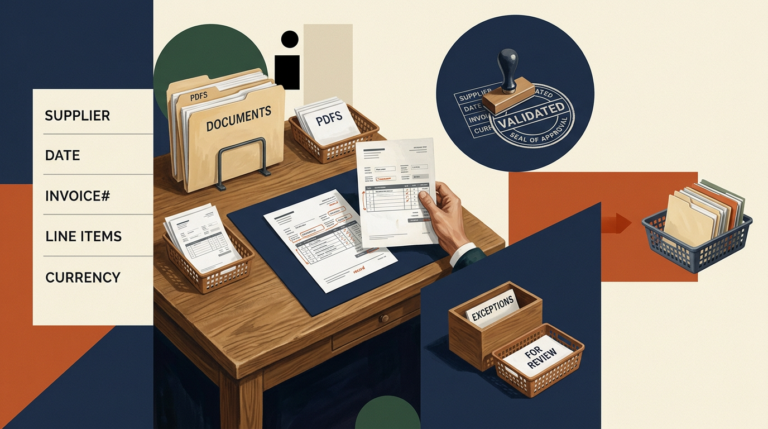
A useful automation needs an escape route. If confidence is low or validation fails, the system should know what to do next. That might mean:
- send the record for manual review;
- leave the field unchanged;
- request missing information;
- retry using another method;
- stop the workflow and flag an error.
This matters because the realistic target is rarely:
AI handles 100% of the process without human involvement.
A system that automates 80% of routine cases and clearly surfaces the remaining 20% can already be extremely valuable. It is often also much safer than trying to eliminate every human step.
Include the human review cost
Human-in-the-loop sounds reassuring, but it is not automatically efficient. If someone needs five minutes to verify every AI result, the automation may save very little. Measure the review burden during the pilot. For example:
1,000 records per month
85% accepted automatically
15% reviewed manually
average review time: 45 seconds
Now you can actually estimate whether the workflow saves time. This is much more useful than saying the model achieved “92% accuracy”.
Measure cost per useful outcome
Model pricing alone is rarely the interesting cost. You may also have:
- infrastructure;
- API integrations;
- data preparation;
- human review;
- retries;
- monitoring;
- maintenance;
- model changes;
- error handling.
The relevant question is:
What does it cost to produce one usable result?
If the automation saves €2 of staff time but costs €1.80 to run and review, it may not be worth operating. If it turns a 20-minute manual task into a two-minute review, the economics look very different.
Start with one complete workflow
I would rather automate one useful process end to end than build ten disconnected AI demos. Pick a workflow with:
- enough volume to matter;
- reasonably clear inputs;
- a measurable outcome;
- errors that can be reviewed;
- and somebody who owns the process.
Build that first. Then run it with real inputs and see what happens. This usually exposes problems that never appear in a prototype: missing data, unexpected exceptions, rate limits, permissions, duplicate records and unclear ownership.
Those are normal production problems. They are also why the integration work often matters as much as the model.
Decide in advance when to stop
Before the pilot starts, define what it has to prove. For example:
At least 90% of product categories correct.
No invented prices or identifiers.
Less than 20% of records need manual review.
Processing cost below €0.10 per item.
At least five staff hours saved per week.
If the workflow does not reach the threshold, you have useful information. Maybe the prompt needs work. Maybe the input data needs cleaning. Maybe another model performs better. Or maybe AI is simply the wrong tool for that part of the process. That is a successful pilot too.
AI should be one component of the workflow
The most useful AI systems I see are rarely “an AI application” in isolation. They are normal software systems that use AI for the part that benefits from interpretation. The rest is conventional engineering:
input → validation → rules → AI where needed → verification → human review where needed → destination system
That approach tends to be easier to understand, test and maintain. It also makes it much easier to replace the AI component later without rebuilding the entire workflow.
Before building, I would want these questions answered
You do not need a hundred-page AI strategy. I would want to know:
- What process are we improving?
- Which part genuinely needs interpretation rather than normal code?
- Where does the input data come from?
- What is the source of truth?
- What does a costly mistake look like?
- Which outputs can be checked automatically?
- Which ones need human review?
- Where does the result go?
- How much manual work should the system remove?
- How will we know the pilot succeeded?
If those answers are reasonably clear, choosing the model becomes much easier. If they are not, that is usually where I would start.
For Tooling & Automation projects, I work on these workflows as complete systems: data preparation, integrations, internal interfaces, conventional automation and AI components where they genuinely improve the process.